How to Publish a Coloring Book on Amazon KDP, Field by Field
To publish an Amazon KDP coloring book you fill in three pages (Details, Content, Rights & Pricing), and four answers differ from other books: leave Low-content unticked, take the free ISBN, skip Expanded Distribution and disclose AI-generated drawings.
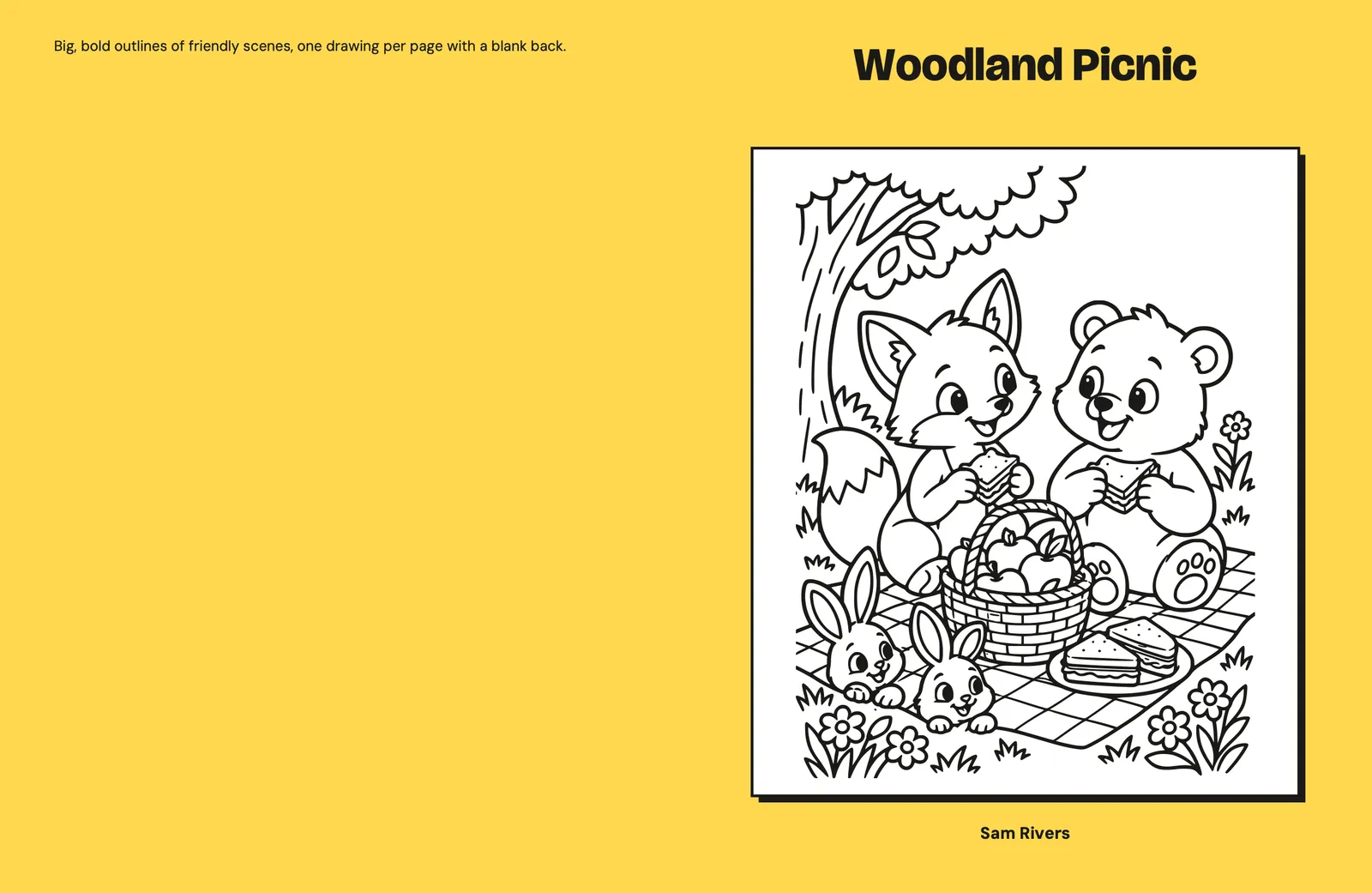
Publishing an Amazon KDP coloring book becomes much simpler once your interior and cover PDFs are ready. KDP gives you three pages to complete: Details, Content, and Rights & Pricing. Four choices deserve special attention: do not mark the book as low-content, request a free ISBN if it suits your plans, leave Expanded Distribution off, and disclose AI-generated drawings. If you still need to build the pages and PDFs, start with our guide to making a coloring book for Amazon KDP.
Set Up Your KDP Account and Know the Limits First
You need a KDP account with author, payment, and tax details, and KDP lets you create only two new paperbacks a week.
After signing in, use Bookshelf > + Create > Paperback. Your new title then moves through Details, Content, and Rights & Pricing. You can save each page as a draft and return later. KDP’s creation guide explains the same path.
Before starting, have these items ready:
- Your print-ready interior PDF
- Your print-ready cover PDF
- The title and optional subtitle exactly as they appear on the cover
- Your book description, keywords, categories, and reading age
- Your legal, bank, and tax information
KDP asks for your legal name in Account Details, not your pen name. Add a pen name later as the book’s author. An author name cannot be changed after publication (Authors & Contributors), so check it before submitting. KDP may also ask you to verify your identity.
Payment can be by direct deposit, wire transfer, or check; Amazon Payments and PayPal are unavailable (Create a KDP Account). Amazon also requires every publisher, including nonprofit and tax-exempt organizations, to provide valid taxpayer identification. The KDP tax information page explains the requirement and treaty-benefit option for non-US publishers.
The weekly limits are separate: up to two title creations and two first-time submissions per book format. They reset each Sunday at 12:00 a.m. UTC. Updating an already submitted title does not count toward the submission limit (Create a Book).
Do you need an LLC to sell coloring books on Amazon?
KDP’s account setup asks you to select either individual or corporation as your business type.
There is no separate LLC choice in that form. This describes KDP’s account screen, not which legal structure is right for you. Use the business type that accurately matches your circumstances.
Fill In Paperback Details: Title, Keywords, Categories, Reading Age
Details is where you write the Amazon listing: title, subtitle, description, seven keywords, up to three categories, and a reading age.
Enter the title exactly as it appears on your cover. KDP prohibits promotional claims such as “free,” sales-rank references such as “bestselling,” unauthorized trademarks, and HTML in the title. The cover, manuscript metadata, and KDP fields must agree (Metadata Guidelines for Books).
A subtitle is optional. Title and subtitle together must stay under 200 characters, the cautious choice because two KDP pages describe the boundary slightly differently. Do not begin the subtitle with a colon; Amazon adds one on the detail page (Book Titles & Editions).
Long titles are common, but common does not mean tidy. KDP says customers are more likely to skim past titles longer than 60 characters. Our Amazon.com sample shows how sharply publishers ignore that advice.
| Title pattern among 58 “Independently published” books | Count |
|---|---|
| Longer than 60 characters | 55 (95%) |
| 180 characters or longer | 17 (29%) |
| Uses a “Main Title: subtitle” structure | 56 |
| Includes “Coloring Book for Kids” | 36 |
| Names an age or age range | 47 |
| Contains kids, children, or toddler | 57 |
The median title-and-subtitle length was 132 characters, with a range of 39 to 199. Those figures describe books found through Amazon search, not a recipe for a good title. A clear title that matches the cover beats a breathless chain of keywords.
KDP provides up to seven keyword boxes but publishes no numeric character limit for each box. Use logical search language a reader might type. For example, an animal book might use specific theme and audience terms rather than repeating words already present in its title or categories.
Avoid quality claims, time-sensitive wording, spelling errors, brands you do not own, quotation marks, HTML, and program names such as KDP Select. Do not waste boxes on punctuation, capitalization, spacing, or plural variants. KDP says specific words work better than general ones and warns against repeating information already covered elsewhere in the metadata. You can change keywords and the description after publication.
The description allows 4,000 characters, including HTML tags. KDP supports basic paragraph, list, emphasis, underline, and H4-H6 tags, but not H1-H3. Its guidance suggests an easy-to-scan paragraph of about 150 words focused on the main theme or idea. KDP’s description rules list every supported tag.
For a children’s title, add the appropriate reading-age band: 0-2, 3-5, 6-8, 9-12, or 13-17. The field is optional, but omitting a suitable age can exclude the book from Children’s or Teen & Young Adult categories and age-specific results. Amazon may replace the displayed age with one derived from customer reviews. Reading-age updates can take up to 48 hours (Primary Audience and Reading Age).
You must also answer whether the book has sexually explicit images or a sexually explicit title. Selecting Yes makes it ineligible for Children’s categories and prevents you from setting a reading age (KDP Categories).
Choose up to three accurate categories. KDP says categories and keywords determine where Amazon shelves the book, while category availability varies by marketplace and format. Category changes need up to 72 hours to show, and KDP may remove mismatched choices (KDP Categories).
If your cover or interior contains AI-generated artwork, disclose it. KDP defines content made by an AI tool as AI-generated even after substantial edits; AI-assisted brainstorming or editing does not require disclosure. You remain responsible for content-guideline and intellectual-property compliance. CrayonForge drawings count as AI-generated under this definition (Content Guidelines).
Finally, confirm that you hold the publishing rights. KDP can request documentation, so do not treat a checkbox as a substitute for knowing what you are entitled to publish.
What categories do kids’ coloring books use on Amazon?
Most sampled kids’ coloring paperbacks appeared in Amazon’s Children’s Coloring Books rank list: 94 of the 121 books we checked.
Children’s Painting Books appeared for 16 books, Children’s Dinosaur Books for 11, and Children’s Dragon, Unicorn & Mythical Creatures Stories for eight. Children’s Books on Cars, Trucks & Buses appeared for seven. The practical pattern is a core coloring shelf plus a relevant theme shelf.
These are Amazon’s displayed Best Sellers Rank categories, not a record of the three categories each publisher selected. The 121-book US sample came from 20 Amazon.com searches on November 12, 2026. Sponsored listings, adult books, bundles, branded properties, workbooks, and non-paperbacks were excluded. Search relevance shaped the sample, so it does not measure sales or market share. You can download the book-level sample and category counts.
For another view of the market, see what Amazon’s top 100 coloring books look like.
Amazon KDP Coloring Book Content: ISBN, Print Options and Two PDFs
On Content you pick the ISBN, ink and paper, trim size, bleed, and cover finish, then upload the interior and cover and approve both in Print Previewer. A coloring book has the same Content page as any paperback; four answers on it decide whether the book is treated as regular content and prints as planned.
Are coloring books considered low content on KDP?
No. KDP lists coloring books under “Not Generally Low-Content,” so leave the Low-content box unticked.
KDP defines low-content books as having minimal, repetitive pages intended to be filled in. It says activity books such as coloring and puzzle books generally do not fit because their pages are not repetitive. KDP adds that exceptions can exist, but a normal children’s coloring book belongs in the regular-content flow. Read the exact distinction on KDP’s low-content page.
The wrong checkbox has lasting consequences. Low-content books cannot receive a free KDP ISBN or join a series, and books without an ISBN do not show Read Sample. Their reviews may take three to four weeks. Most importantly, the low-content setting cannot be changed after publication.
A regular paperback requires an ISBN. You can request KDP’s free ISBN or enter one you purchased. The free number works only on KDP and displays “Independently published” as the imprint. Your own ISBN lets you use your registered imprint, but the title, author, and publisher entered in KDP must match its registration. Each paperback and hardcover format needs a separate ISBN (What is an ISBN and Imprint?).
For a black-and-white kids’ book, select Black & white interior with white paper or cream paper. If any image is meant to print in color, choose a color-ink option instead. A black-and-white version and a color version must be separate Bookshelf titles (Print Options).
Choose the trim used to export the PDFs. KDP supports custom paperback sizes from 4 to 8.5 inches wide and 6 to 11.69 inches high. Anything wider than 6.12 inches or taller than 9 inches counts as large trim (trim, bleed and margins). The minimum is 24 pages; black ink on white paper supports 24 to 828 pages. Our guide to KDP coloring book sizes compares the trims used by 145 Amazon books.
Select Bleed if even one interior page reaches the page edge. That option requires a PDF sized for bleed; otherwise, KDP says the manuscript will fail quality review. Trim, bleed, and matte or glossy finish do not alter printing cost.
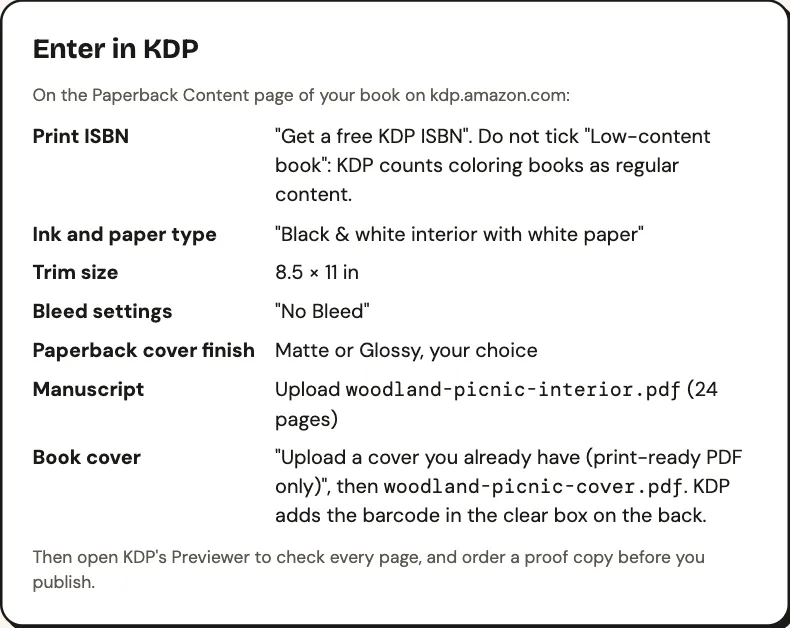
CrayonForge’s Export screen mirrors the choices on the Content page. For the 24-page Woodland Picnic sample, it specifies a free ISBN, regular content, black-and-white ink on white paper, 8.5 × 11-inch trim, no bleed, and either cover finish. It also identifies woodland-picnic-interior.pdf and woodland-picnic-cover.pdf for upload.
Upload the interior PDF first; KDP says processing can take several minutes. Then upload the print-ready cover PDF. If it has no barcode, tell KDP so it can add one automatically. Keep a clear 2 × 1.2-inch box at the lower-right of the back cover (Barcodes). The coloring book cover guide explains the required elements, and the KDP cover calculator calculates cover and spine dimensions for your page count.
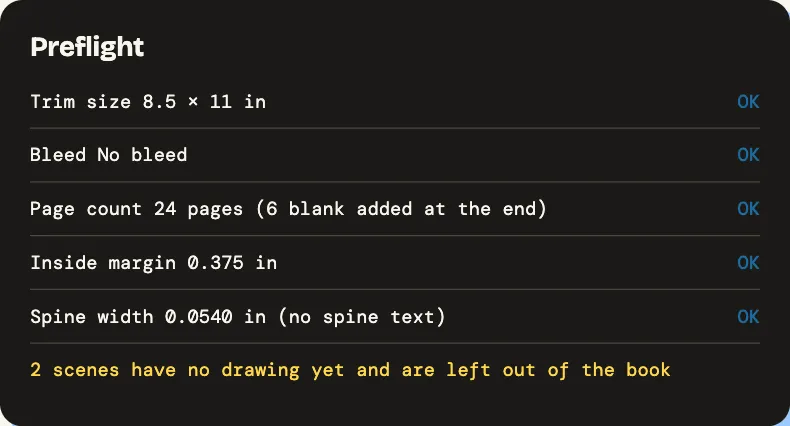
Run preflight before upload, then launch KDP Print Previewer. CrayonForge checks trim, bleed, the 24-page minimum and even page count, inside margin, and spine width.
KDP’s required Previewer shows the assembled paperback and flags errors. You must approve it before submitting, and approve it again after later file changes. KDP manually checks the files after submission (Upload and Preview Book Content).
The 24-page, 8.5 × 11-inch, white-paper, no-bleed Woodland Picnic sample passed Print Previewer without issues on November 11, 2026. That is a digital preview result, not a printed-proof claim.
Rights and Pricing: Territories, Royalty and Expanded Distribution
Choose territories, set one list price, and leave Expanded Distribution off for a coloring book.
Select worldwide rights only if you hold the necessary rights everywhere. KDP says original, previously unpublished content will most likely qualify, but you remain responsible for that decision. AI-generated artwork does not remove your obligation to establish publishing rights (Paperback and Hardcover Distribution Rights).
Your list price must stay within KDP’s displayed minimum and maximum. It cannot be free, and the Amazon.com paperback maximum is $250 (Price Your Book). You can modify the price after publication.
On Amazon.com, paperback royalty is 50% at $9.98 or less and 60% at $9.99 or more, minus printing cost. For black ink and up to 110 pages, KDP lists a $2.84 printing cost for large trim and $2.30 for regular trim. Our 2026 arithmetic gives a zero-royalty minimum of $5.68 for large trim at the 50% rate: $2.84 ÷ 0.50. Regular trim gives $4.60. Sources: KDP’s Paperback Royalty and Paperback Printing Cost pages. Our KDP royalty calculator runs the same math for every marketplace; still use the exact minimum shown on your KDP pricing screen.
KDP’s formula is (royalty rate × list price) − printing cost. Use the KDP royalty calculator to compare marketplace royalties and minimum prices rather than copying one US result into every store.
Coloring books may attract standard VAT rather than reduced book VAT in the UK and EU. KDP gives examples of 20% standard versus 0% reduced in the UK, 19% versus 7% in Germany, and 20% versus 5.5% in France. KDP calculates royalties from the VAT-exclusive list price, so VAT-rate differences do not alter the royalty calculation. The customer-facing price may differ (How EU and the UK Taxes Affect Print Books List Price).
Amazon may also price-match or discount a book. KDP says that can change the customer price without changing royalties (Paperback Royalty).
Is Expanded Distribution worth enabling for a coloring book?
No. KDP’s Expanded Distribution rules list coloring books as content not currently accepted.
That exclusion settles the question before trim or paper restrictions matter. Per the same 2026 page, Expanded Distribution offers a 40% royalty minus printing costs, taxes, and withholding for eligible books, but that rate does not make coloring books eligible.
Submit, Wait for Review, and Check the Live Page
After you press Publish, KDP reviews the book for about three business days and locks it from editing.
Give all three pages one final pass before submitting. Check the author spelling, title and subtitle against the cover, the low-content checkbox, AI disclosure, ISBN, trim, bleed, territories, and list price. Then press Publish Your Paperback Book.
KDP says a review cannot be canceled or expedited. Customer Support cannot speed it up. If manual checks find an issue, KDP emails instructions for fixing it.
How long does KDP take to review a coloring book?
KDP says a new book or update generally takes three business days to go live.
A paperback detail page can take up to 72 hours on Amazon.com and up to five days in other marketplaces. An account with no previously published book may take up to six days, per KDP’s Timelines page. After publication, search results can lag by another 72 hours.
The cover thumbnail appears within the same 72-hour window, while the back cover can need seven to ten business days. Read Sample generally takes nine to ten business days and shows 20% of an ISBN-bearing paperback (Read Sample).
Once the page appears, check the title, author, description, reading age, categories, cover, price, and formats. Do not panic if every element is not visible immediately; the published timelines differ. Title, subtitle, and primary author can be edited only within 72 hours of initial paperback publication, then require a new edition. Description, keywords, categories, reading age, contributors, and publishing rights remain editable.
A proof copy is optional, although KDP says it lets you see the book in person before publishing. The separate book-making guide covers proof and PDF checks without duplicating them here.
That is the complete Amazon KDP coloring book setup: accurate listing details, regular-content status, the correct print specification, honest AI disclosure, an ISBN, and pricing that clears KDP’s minimum. If you need the files, the AI coloring book generator builds them: start a coloring book with five free credits; Standard drawings use one credit per page, while writing, edits, uploads, and export cost nothing. CrayonForge uses one-time credit packs rather than subscriptions, with current options on the pricing page.
CRAYONFORGE
Make your kids' coloring book for KDP
Describe the theme and age, get a scene for every page, draw them, then export interior.pdf and cover.pdf checked against KDP's rules. New accounts get 5 free credits.
More guides
Nov 12, 2026
30 Kids' Coloring Book Ideas, Checked Against Real Amazon Data
Which kids' coloring book themes sit high on Amazon, which have room for an independent publisher, and which ideas to skip, from 153 books read on November 12, 2026.
READ THE GUIDE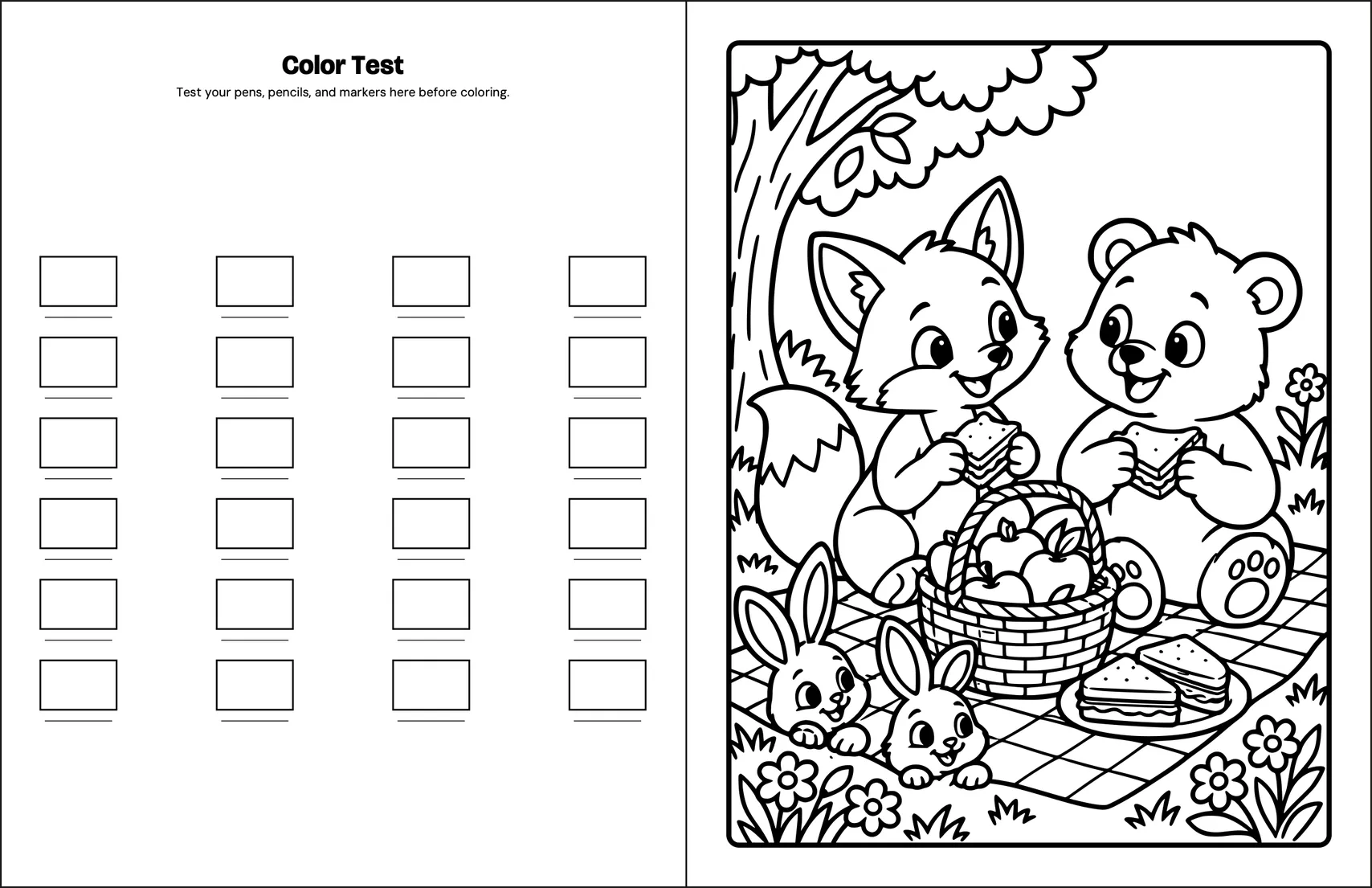
Nov 12, 2026
Cream or White Paper on KDP: Which Suits a Coloring Book?
White and cream paper cost the same to print on KDP; what changes is the spine and the page limit, and we checked what 203 kids' coloring books on Amazon say about paper.
READ THE GUIDE
Nov 11, 2026
Amazon Best Selling Coloring Books: What Both Top 100 Lists Show
Who publishes the kids' and adult top 100, which formats lead, how many pages and what size, from both Amazon lists on November 6, 2026.
READ THE GUIDE